Pantone color matching for print
Screens and paper show color differently. This guide covers Pantone spot colors, CMYK, coated and uncoated swatches, and how to keep a brand color consistent on recycled paper.
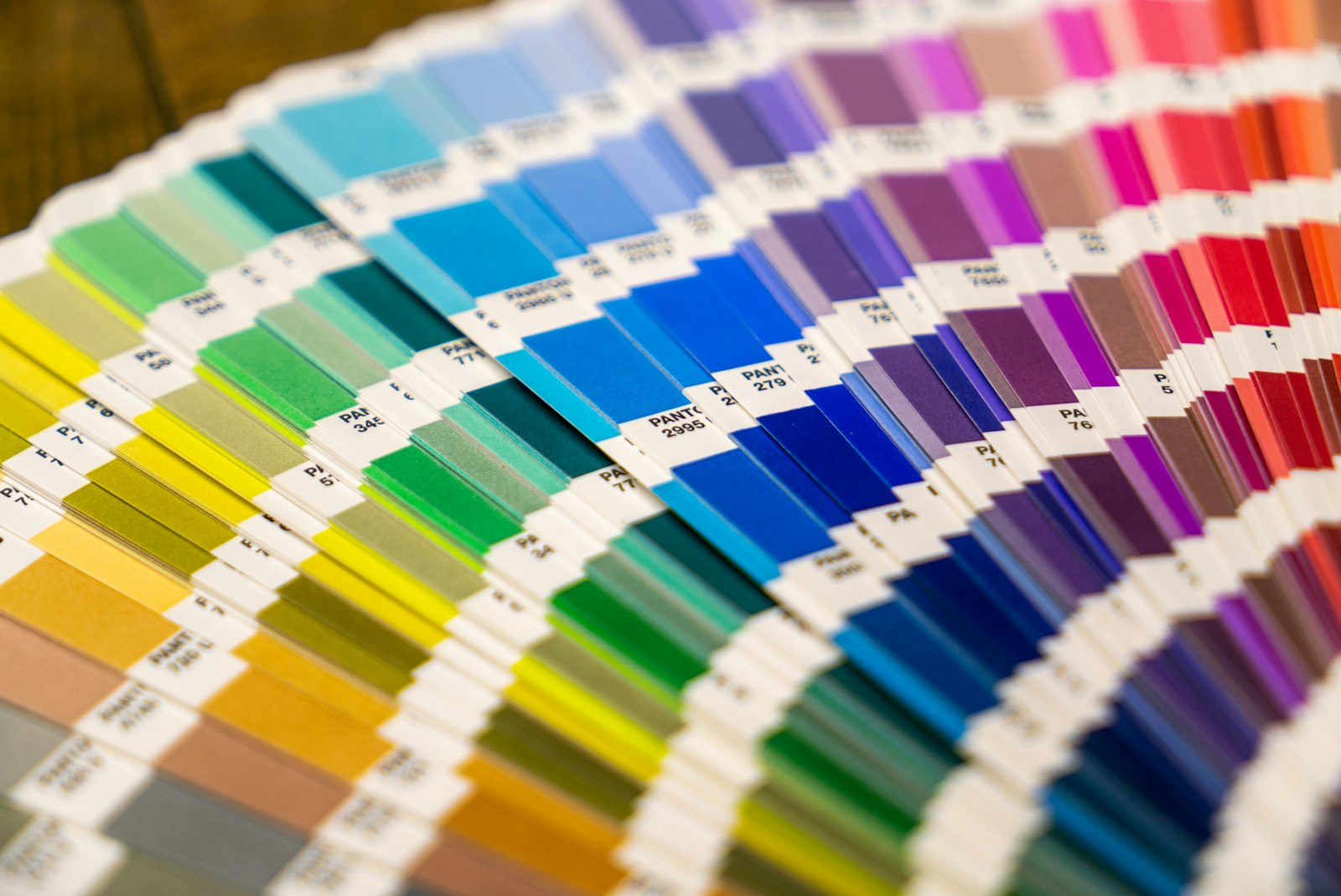
A color on your screen and the same color on paper rarely look identical. The Pantone Matching System gives designers, clients and printers a shared reference, so everyone can specify the same color by number. This guide explains how Pantone colors work in print and what to expect on recycled paper.
Why screen color and printed color differ
Screens create color with light, using red, green and blue (RGB). Paper reflects light, and printed color is built from ink, either four-color process (CMYK) or premixed spot inks. A monitor can show colors that ink cannot reproduce, and every screen displays color a little differently.
Paper also affects color. Uncoated and recycled stocks absorb more ink than bright coated paper, so colors print slightly softer. That is why a printed swatch book is a better guide than a screen.
What the Pantone Matching System is
Pantone is a numbered library of premixed ink colors, including metallics, pastels and fluorescents. Each color has a formula, so a printer can mix the same ink for any job. Other spot color systems exist, such as TOYO and DIC, but Pantone is the standard in the United States.
Spot color and four-color process
A spot color is a single premixed ink printed as its own color. It is used on offset presses and is the best way to match a logo or brand color exactly. Spot colors work well for jobs printed in one, two or three colors.
Four-color process builds colors from cyan, magenta, yellow and black dots. It is needed for photographs and full-color artwork, and it is how digital presses print. Many Pantone colors can be approximated in CMYK, but some, especially bright oranges, greens, blues and metallics, shift noticeably.
Coated and uncoated swatches
The same Pantone number looks different on coated and uncoated paper. Pantone guides are labeled C for coated and U for uncoated. Choose the color from the guide that matches the paper you plan to print on.
Most of the recycled stocks we print on are uncoated, so in most cases the uncoated guide is the one to use.
How to set up color in your files
- Name spot colors with their exact Pantone number, and remove unused spot colors from the swatch list.
- Convert photographs to CMYK.
- Keep logos as spot colors, or use one consistent CMYK build every time.
- Choose and approve colors from a printed swatch book, not from the screen.
Our guide to preparing print-ready files covers the rest of the file setup.
Keeping brand color consistent
Keep a record of the paper and color build used on each approved job. Reorder on the same stock when you can, because changing paper changes how color looks. When an exact match matters, ask whether a printed proof is available before the full run.
What to expect on recycled paper
Recycled paper often has a slightly warmer shade than bright white virgin paper. That shade affects light colors and pastels the most. If color is critical, ask about paper samples when you request a quote, so you can see the stock before you approve the job.
Getting a quote
Include your Pantone numbers when you request a quote, along with the paper you prefer. You can compare stocks on our paper stocks page.
Products mentioned in this piece
Everything below prints on recycled, FSC-certified stock with soy-based inks. Ask for a quote on any of it.


Printing something like this?
Thirty-six years of sourcing recycled stock, put to work on your job. Tell us what you need and Greg will come back with stock options, a price and a date.