What is bleed in printing? Bleed, trim and safe area explained
Bleed is artwork that runs past the trim line so there are no white edges after cutting. This guide covers the standard bleed size, trim and safe area, and how to add bleed in common design programs.
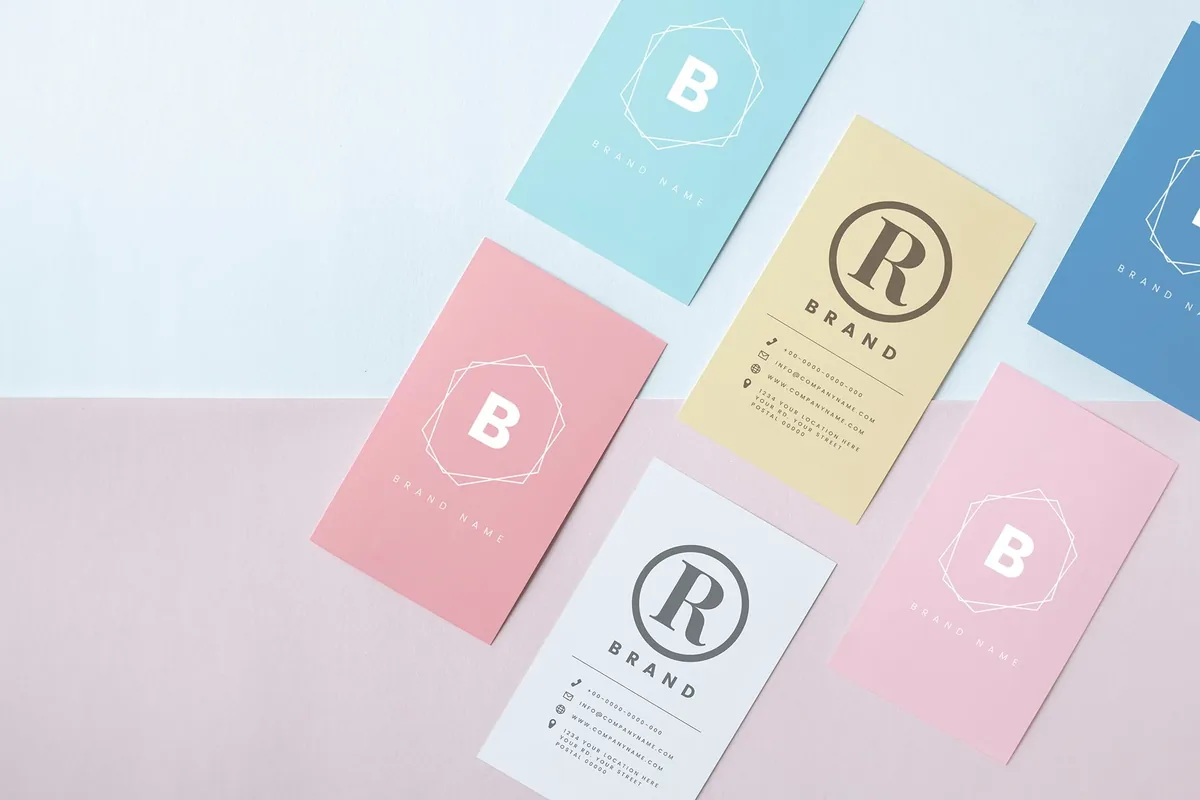
Bleed is the part of a design that extends past the edge of the finished piece. It is printed and then trimmed off. Any color, photo or shape that touches the edge of a printed piece needs bleed, or the finished piece can show thin white lines along the edges after it is cut.
The standard bleed in the United States is 0.125 inch, or one eighth of an inch, on every side. This guide explains why bleed is needed, how it relates to the trim line and the safe area, and how to set it up in the programs most people use.
Why printed pieces need bleed
Most print jobs are printed on large sheets with several pieces on each sheet, then stacked and cut to size on a guillotine cutter. The cut can move slightly from one sheet to the next. If the artwork stops exactly at the edge, a small shift leaves a sliver of unprinted paper on one side. Extending the artwork past the edge gives the cutter room to move without showing white.
Bleed, trim and safe area
- Trim line: the final size of the piece, such as 3.5 x 2 in for a business card.
- Bleed: the area outside the trim line, usually 0.125 in on each side. Backgrounds and images that touch the edge should fill it.
- Safe area: the area inside the trim line where text and logos belong. Keep important content at least 0.125 in inside the trim, and 0.25 in for booklets and folded pieces.
A full bleed design is one where color or images run to every edge. A design with a plain white border all around does not need bleed, but thin borders close to the edge are risky, because a small shift in the cut makes the border look uneven. Keep borders at least 0.25 in wide, or leave them out.
Document size with bleed
Bleed adds 0.125 in to each side, so the document is 0.25 in wider and 0.25 in taller than the finished piece:
- Business card, 3.5 x 2 in: 3.75 x 2.25 in with bleed.
- Postcard, 4 x 6 in: 4.25 x 6.25 in with bleed.
- Invitation, 5 x 7 in: 5.25 x 7.25 in with bleed.
- Flyer, 8.5 x 11 in: 8.75 x 11.25 in with bleed.
- Poster, 18 x 24 in: 18.25 x 24.25 in with bleed.
Large-format signs and banners often use a different bleed, sometimes 0.5 in or more, and hemmed banners may need none. Ask for the specification before you set up a large-format file.
How to add bleed in common programs
- InDesign: open File, then Document Setup, and enter 0.125 in for Bleed on all sides. When you export the PDF, choose Marks and Bleeds, turn on crop marks and select Use Document Bleed Settings.
- Illustrator: open File, then Document Setup, and enter 0.125 in in the Bleed fields. When you save the PDF, turn on crop marks and the document bleed under Marks and Bleeds.
- Photoshop: there is no bleed setting. Make the canvas 0.25 in larger than the trim size in each direction and add guides 0.125 in in from each edge to show the trim.
- Canva: turn on Show print bleed in the File menu and stretch backgrounds to the outer edge. Download the design as PDF Print with Crop marks and bleed turned on.
- Word and Google Docs: these programs do not have a bleed setting. If your design needs to print to the edge, send the file and ask for help converting it.
Our guide to print-ready files covers resolution, color and fonts as well.
Common bleed mistakes
- Building the file at the trim size and stretching the art at the last minute, which can distort photos.
- Adding bleed to the document but not extending the background into it.
- Placing text or a logo right at the trim line, where it can be cut off.
- Exporting the PDF without the bleed, so the extra area is lost.
- Using a thin border close to the edge on a piece that will be trimmed.
Bleed and paper use
Bleed itself is a small strip, but the size of the piece decides how many fit on a press sheet. Standard sizes with standard bleed usually fit the sheet with the least trim waste. If you are planning a custom size, ask about the layout before you finalize the design.
Common questions
What is bleed in printing?
Bleed is artwork that extends past the trim line of a printed piece. It is trimmed off after printing so the color runs cleanly to the edge.
How much bleed do I need?
The standard is 0.125 inch on every side. Large-format signs and banners can need more, so check the specification for those.
What happens if I do not add bleed?
If color touches the edge without bleed, the finished piece can show thin white lines along one or more edges after it is cut.
Do I need bleed if my design has a white border?
No. A design with a white margin on every side does not need bleed, but keep text and logos inside the safe area.
Products mentioned in this piece
Everything below prints on recycled, FSC-certified stock with soy-based inks. Ask for a quote on any of it.
Printing something like this?
Thirty-six years of sourcing recycled stock, put to work on your job. Tell us what you need and Greg will come back with stock options, a price and a date.